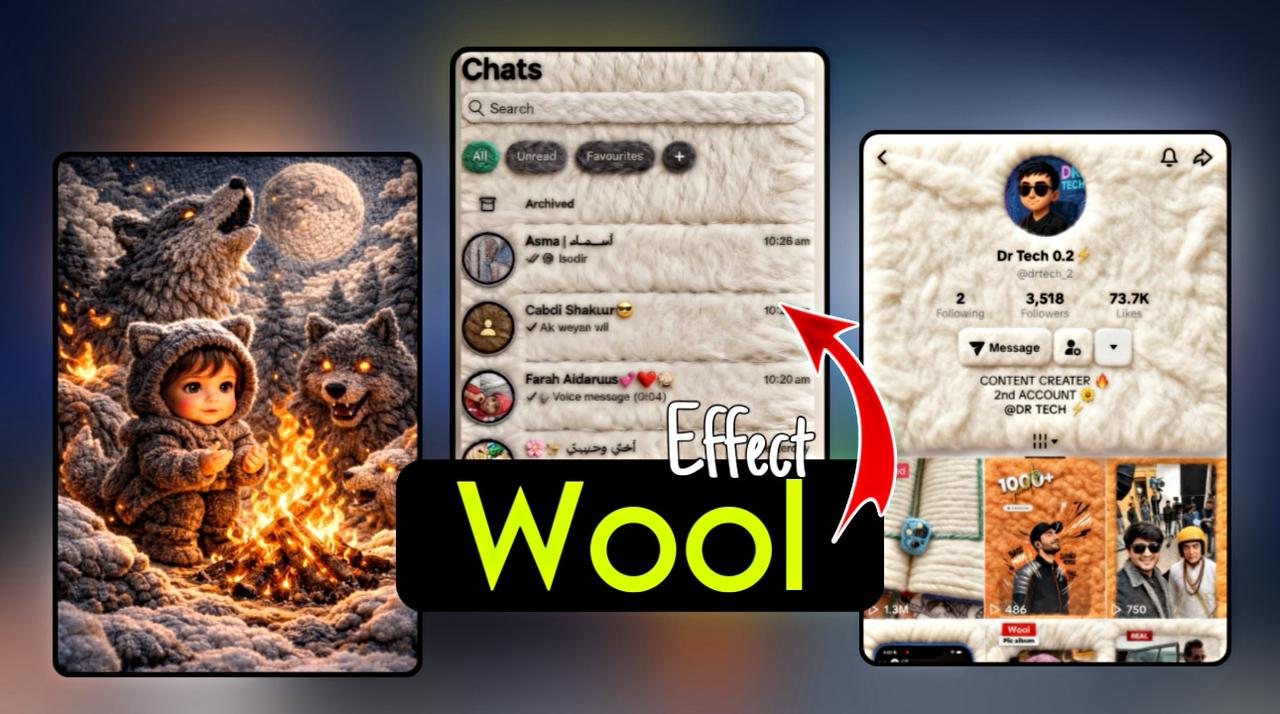
How to Create Wool Effect AI Photo
The wool effect AI photo is a creative style where an image looks like it is made from soft wool or yarn. This effect gives a handmade, knitted, or crochet look that feels cute and artistic. It is very popular on Instagram and AI art pages.
What Is a Wool Effect AI Photo
A wool effect AI photo makes a person, animal, or object appear as if it is created from wool threads. The texture looks soft, fluffy, and fabric-like, similar to knitted toys or crochet dolls. AI creates this effect by adding yarn texture, thread details, and smooth lighting.
Tools You Can Use
You can create wool effect photos using AI image generators that support text prompts or image upload options. Most AI platforms work in a similar way where you either describe the image or upload a photo and apply a style through prompts.
Choosing the Right Image
For the best wool effect result, use a clear and high-quality image. The subject should be visible and well-lit. Simple backgrounds work better because they help the AI focus on wool texture details.
Writing a Wool Effect Prompt
The prompt is the most important part of creating a wool effect photo. You should clearly mention wool, yarn, and knitted texture in your description.
Example prompt
A realistic wool knitted doll style portrait made of soft yarn and wool texture with detailed threads crochet style fluffy fabric look soft lighting high detail artistic studio background
You can change the subject or background according to your need.
Improving Image Quality with Keywords
Adding style-related words helps AI generate better results. Words related to knitted fabric, yarn art, handmade texture, soft shadows, and high detail improve the realism of the wool effect.
Generating and Selecting the Best Image
Generate multiple images using the same prompt and choose the one with the most natural wool texture. If the result is not satisfying, slightly change the prompt and try again.
Final Touch and Enhancement
After generating the image, you can enhance it by adjusting brightness, sharpness, or cropping it for social media. Small edits make the wool effect look more professional.
Tips for Better Wool Effect Photos
Cute expressions and soft pastel backgrounds work very well. Animals and baby-style portraits usually perform better. Keep the image clean and avoid too much background detail.
Uses of Wool Effect AI Photos
Wool effect images are perfect for Instagram posts, reels, profile pictures, AI art pages, digital art selling, and creative branding.
Conclusion
Creating a wool effect AI photo is simple if you use a clear image and a well-written prompt. This style is highly engaging and ideal for social media growth and monetization. With practice, you can create unique wool-style AI artwork that stands out.
Prompt For Wool Effect Photo 👇
“Convert the uploaded image into a realistic wool / knitted texture style.Make the entire UI look like it is made from soft yarn and wool threads.Add fluffy fabric texture, hand-knitted feel, stitched edges, and soft depth.Keep all text, icons, layout, names, and timing exactly the same as the original image.Do not blur or change readability.Make buttons, tabs, and chat rows look like woven wool pieces.Cozy, aesthetic, handmade crochet style.High quality, detailed, realistic wool fibers, clean and professional look.”