1. Understand What Makes a PUBG Poster Viral
A viral PUBG poster usually has strong emotions, action poses, trending outfits, and eye-catching effects. Study popular posters on Instagram, Facebook, and Pinterest to understand current trends.
2. Choose a Strong PUBG Character
Select a popular PUBG character wearing mythic outfits, royal pass sets, or rare skins. Characters holding powerful guns like M416, AKM, or AWM attract more attention.
3. Use High-Quality Images
Always use high-resolution images. Blurry or low-quality pictures never go viral. You can take in-game screenshots in HD or use AI tools to enhance image quality.
4. Select an Attractive Background
Background plays a big role. Use battlefields, explosions, smoke, fire, ruins, or dark cinematic backgrounds to give a dramatic PUBG feel.
5. Add Cinematic Effects
Use effects like fire, sparks, dust, motion blur, lighting, and shadows. These effects make your poster look professional and action-packed.
6. Apply Color Grading and Filters
Color grading makes posters look premium. Use orange-teal, dark moody, or neon color tones to match PUBG’s intense theme.
7. Use Bold and Stylish Text
If you add text, keep it bold and minimal. Use strong fonts for player names, clan tags, or motivational PUBG quotes. Avoid too much text.
8. Edit Using Popular Tools
Use tools like PicsArt, Photoshop, Canva, or AI design apps. These tools help in adding effects, background removal, and professional styling.
9. Follow Social Media Trends
Create posters according to trending events like new PUBG updates, collaborations, mythic releases, or tournaments. Trend-based posters get more reach.
10. Post With Correct Hashtags and Timing
Upload posters at peak time and use PUBG-related hashtags. Consistency and daily posting increase chances of going viral.
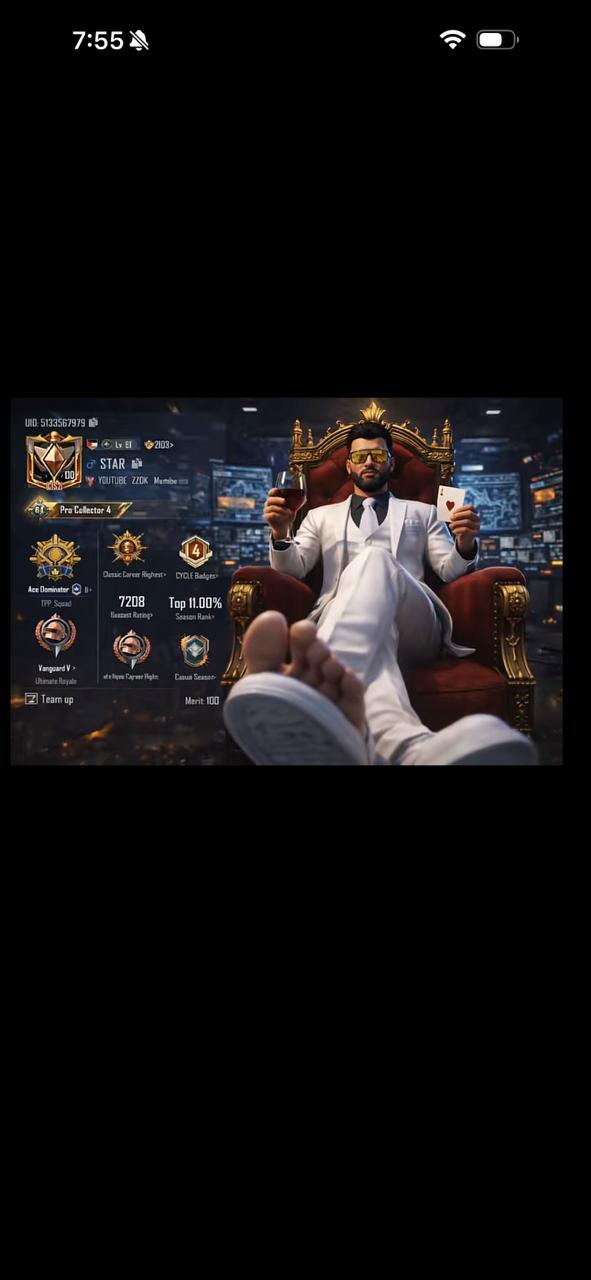
Prompt 👇
“Create a cinematic digital poster for PUBG Lite players. Clearly display the uploaded profile screenshot in the background with full sharpness; there should be no hidden or blurred areas. The image must be clear and readable, showing all details typically found in a profile (such as statistics, icons, textures, badges, numbers, labels, buttons, etc.) so that everything is completely visible and understandable to the viewer.In the foreground, include a visual of the uploaded character sitting on a chair in a proud and victorious pose (sitting with arms open to the sides). The character’s head should be slightly turned to the right, with a heroic and grateful expression.”